🎨Best Graphic Design Software Ranked
Graphic design tools shape everything from logos and packaging to UI mockups and print campaigns, so choosing the right software affects workflow speed, collaboration, and output quality. The top options balance power, accessibility, and real-world adoption across freelancers and studios. Vote to refine the crowd ranking.
What counts: Best means the strongest combination of professional features, usability, value, and industry uptake; figures are approximate monthly or one-time costs where applicable.
Adobe Illustrator▲ Rising
Illustrator pioneered vector workflows in the 1980s and still leads logo and packaging design across print and digital studios. The 2018 variable fonts and global edit features streamlined multi-artboard campaigns that previously required manual duplication. Its precision keeps it first among vector professionals.
Starting Price: $20.99Ease of Use: 7/10Feature Depth: 10/10Cross-Platform: ✓Pro Adoption: 10/10
added by IJRAdobe Illustrator
21GIMP▲ Rising
GIMP has offered free raster editing since 1996 and remains the leading open-source alternative for photo manipulation and digital art. Community scripts and GEGL filters have closed many gaps with commercial tools over the last decade. Its zero cost keeps it essential for students and indie creators.
Starting Price: $0Ease of Use: 6/10Feature Depth: 7/10Cross-Platform: ✓Pro Adoption: 4/10
added by IJRin 2 rankingsgimp
16Canva launched in 2013 to democratize design for non-professionals and now powers social graphics and presentations for millions of small businesses. Its drag-and-drop templates and brand kit features removed the intimidation barrier that kept many users from Photoshop. The 2021 Pro tier and Magic Studio AI tools expanded its reach into professional workflows.
Starting Price: $0Ease of Use: 10/10Feature Depth: 6/10Cross-Platform: ✓Pro Adoption: 5/10
added by IJRCanva
14Adobe Photoshop▲ Rising
Photoshop has defined raster editing since 1988 and remains the default for photo retouching and digital painting in agencies worldwide. Its 2020 integration of neural filters accelerated complex selections and sky replacements that once took hours. This depth keeps it at the top despite the subscription model.
Starting Price: $20.99Ease of Use: 7/10Feature Depth: 10/10Cross-Platform: ✓Pro Adoption: 10/10
added by IJRAdobe Photoshop
13Affinity Designer▲ Rising
Serif released Affinity Designer in 2014 as a one-time purchase rival to Illustrator and it gained traction during the 2020 subscription fatigue wave. Its vector and raster personas in one file let illustrators switch modes without exporting. The low price and frequent updates have made it a staple for independent studios.
Starting Price: $69.99Ease of Use: 8/10Feature Depth: 8/10Cross-Platform: ✓Pro Adoption: 7/10
added by IJRAffinity Designer
13CorelDRAW▲ Rising
CorelDRAW has served vector and layout needs since 1989, especially in signage and apparel shops that still rely on its powerful node editing and print merge tools. The 2021 live sketch and AI upsampling features refreshed its appeal for technical illustrators. It remains the go-to for many Windows-centric production houses.
Starting Price: $299Ease of Use: 7/10Feature Depth: 9/10Cross-Platform: —Pro Adoption: 6/10
added by IJRCorelDRAW
12Adobe Express▲ Rising
Adobe Express (formerly Spark) launched to give quick social and web graphics without the full Photoshop interface. Its 2021 template and brand-kit updates made it viable for small marketing teams. The simplified workflow fills the gap between Canva and professional Adobe tools.
Starting Price: $0Ease of Use: 9/10Feature Depth: 6/10Cross-Platform: ✓Pro Adoption: 5/10
added by IJRAdobe Express
8Pixlr has offered browser-based photo editing since 2008 and gained users seeking a lightweight Photoshop alternative. Its 2020 AI remove and replace tools brought quick background cleanup to casual users. The freemium model keeps it accessible for quick edits without downloads.
Starting Price: $0Ease of Use: 8/10Feature Depth: 6/10Cross-Platform: ✓Pro Adoption: 3/10
added by IJRPixlr
5Gravit Designer
Gravit Designer emerged in 2016 as a cross-platform vector tool with strong web and presentation export options. Its 2020 acquisition by Corel brought more resources while keeping the free tier intact. The clean UI and cloud sync make it a solid choice for multi-device freelancers.
Starting Price: $0Ease of Use: 8/10Feature Depth: 7/10Cross-Platform: ✓Pro Adoption: 4/10
added by IJR
5Lunacy released in 2018 as a free Windows-first design tool with built-in assets and real-time collaboration. Its 2022 offline mode and plugin support made it viable for teams avoiding subscriptions. The speed on Windows hardware appeals to UI designers who want native performance.
Starting Price: $0Ease of Use: 8/10Feature Depth: 7/10Cross-Platform: —Pro Adoption: 4/10
added by IJRLunacy
5Sketch▲ Rising
Sketch debuted in 2010 as a Mac-only vector tool tailored for UI designers and quickly displaced Illustrator in many digital agencies. Its symbol and artboard system became the template for later tools like Figma. Even after losing some ground to browser apps, its focused Mac experience keeps loyal users.
Starting Price: $99Ease of Use: 8/10Feature Depth: 7/10Cross-Platform: —Pro Adoption: 7/10
added by IJRSketch
4Photopea▼ Falling
Photopea launched in 2013 as a free browser Photoshop clone and gained users who need PSD compatibility without installing software. Its 2021 AI features and animation support expanded quick web-based workflows. The zero-cost model makes it a practical backup tool for students and travelers.
Starting Price: $0Ease of Use: 8/10Feature Depth: 7/10Cross-Platform: ✓Pro Adoption: 3/10
added by IJRPhotopea
4Figma launched in 2012 as a browser-based design tool and quickly became the default for UI/UX teams through real-time multiplayer editing. Its 2021 acquisition by Adobe cemented its place in collaborative workflows while preserving free tiers for small teams. The speed of component libraries and auto-layout has redefined modern interface design.
Starting Price: $0Ease of Use: 9/10Feature Depth: 8/10Cross-Platform: ✓Pro Adoption: 9/10
added by IJRFIGMA
2InDesign has been the professional page-layout standard since 1999, handling complex books and magazines that QuarkXPress once dominated. Its 2019 variable font and cloud library features improved long-document collaboration. No other tool matches its typographic control for print publishing.
Starting Price: $20.99Ease of Use: 7/10Feature Depth: 9/10Cross-Platform: ✓Pro Adoption: 9/10
added by IJRAdobe InDesign
1Procreate arrived on iPad in 2011 and transformed mobile illustration with pressure-sensitive brushes and time-lapse recording. Its 2022 5.0 update added 3D and animation tools that let artists finish entire projects on a tablet. The app's speed and portability have made it a favorite among concept artists and illustrators.
Starting Price: $12.99Ease of Use: 9/10Feature Depth: 8/10Cross-Platform: —Pro Adoption: 7/10
added by IJRProcreate
1Affinity Photo arrived in 2015 as a one-time purchase Photoshop alternative and quickly earned praise for raw processing and HDR merging. Its 2022 version 2 update unified the suite with shared color and font management. The speed and price have made it popular among photographers who avoid subscriptions.
Starting Price: $69.99Ease of Use: 8/10Feature Depth: 8/10Cross-Platform: ✓Pro Adoption: 6/10
added by IJRAffinity Photo
1Clip Studio Paint began as Manga Studio in 2001 and became the standard for comic and manga artists with its panel and screentone tools. The 2019 3D model import and 2021 animation features broadened its use to storyboarding. Its specialized brushes keep it dominant in sequential art.
Starting Price: $49.99Ease of Use: 8/10Feature Depth: 8/10Cross-Platform: ✓Pro Adoption: 6/10
added by IJRClip Studio Paint
-1DesignScape
DesignScape offers a browser-based Photoshop and Illustrator hybrid aimed at quick edits and vector work without desktop installs. Its 2021 launch targeted users who need occasional professional tools on any device. The subscription model stays lower than Adobe for light users.
Starting Price: $9.99Ease of Use: 8/10Feature Depth: 7/10Cross-Platform: ✓Pro Adoption: 3/10
added by IJR
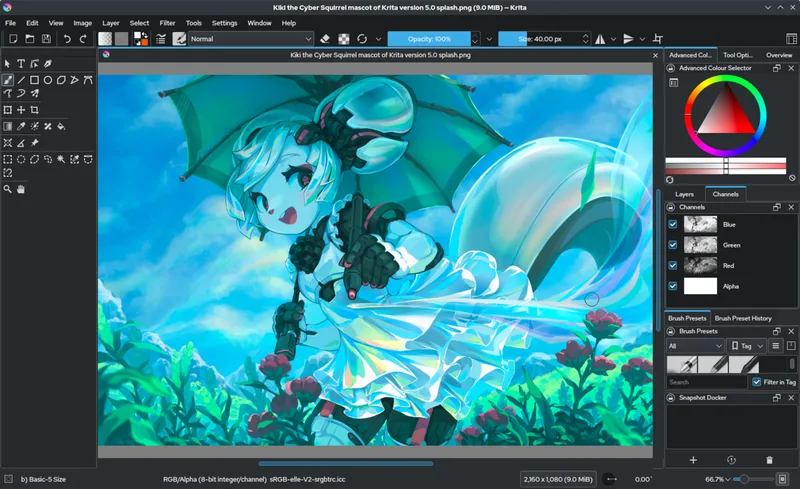
-1Krita began as a digital painting program in 1998 and evolved into a full raster workspace favored by comic and concept artists. Its 2019 animation timeline and wrap-around mode sped up repeating patterns and frame-by-frame work. The free model keeps it popular in education and indie studios.
Starting Price: $0Ease of Use: 8/10Feature Depth: 8/10Cross-Platform: ✓Pro Adoption: 5/10
added by IJRin 2 rankingsKrita
-2Vectornator▼ Falling
Vectornator (now Linearity Curve) started as a free Mac and iPad vector app in 2017 and grew through intuitive pen tools and real-time collaboration. Its 2022 4.0 release added advanced boolean and export options that appeal to UI and icon designers. The zero-cost entry has attracted many former Sketch users.
Starting Price: $0Ease of Use: 9/10Feature Depth: 7/10Cross-Platform: ✓Pro Adoption: 4/10
added by IJR
-3Sumopaint
Sumopaint has delivered browser raster painting since 2009 with a focus on brushes and layers for quick digital art. Its 2020 Pro upgrade added offline mode and custom brushes that appeal to illustrators on the go. The accessible pricing keeps it viable for hobbyists and students.
Starting Price: $4Ease of Use: 8/10Feature Depth: 6/10Cross-Platform: ✓Pro Adoption: 2/10
added by IJR
-4Vectr
Vectr launched in 2014 as a simple browser and desktop vector editor for quick logos and social graphics. Its clean interface and real-time collaboration target users who find Illustrator overwhelming. The free core keeps it popular for education and small projects.
Starting Price: $0Ease of Use: 9/10Feature Depth: 5/10Cross-Platform: ✓Pro Adoption: 2/10
added by IJR
-5ArtRage began in 2004 as a natural-media painting simulator and remains popular for artists who want realistic oils and watercolors without complex menus. Its 2020 6.0 update added perspective tools and layer effects that support illustration work. The focused toolset keeps it favored by traditional media converts.
Starting Price: $79Ease of Use: 8/10Feature Depth: 6/10Cross-Platform: ✓Pro Adoption: 3/10
added by IJRArtRage
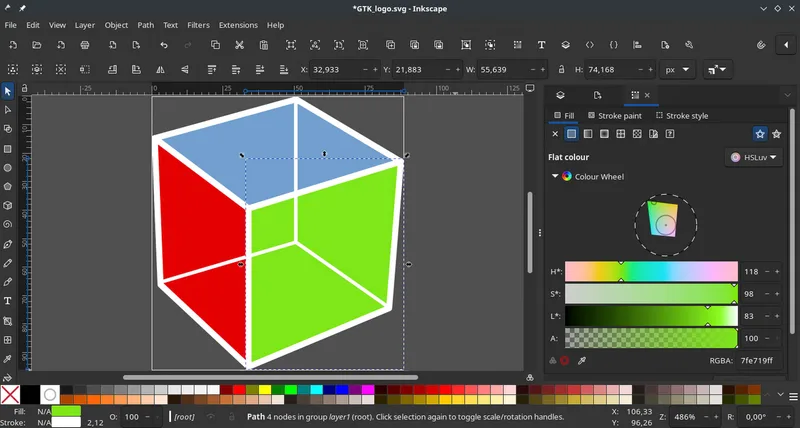
-7Inkscape has provided free vector editing since 2003 and carved a niche among open-source illustrators and technical artists. Its live path effects and SVG-first approach keep files lightweight and web-ready. The dedicated community maintains steady progress without corporate backing.
Starting Price: $0Ease of Use: 7/10Feature Depth: 7/10Cross-Platform: ✓Pro Adoption: 4/10
added by IJRin 2 rankingsInkscape
-8Boxy SVG entered the market in 2015 as a lightweight Mac-first SVG editor aimed at web designers who need clean code output. Its inspector and live preview make it easy to tweak icons without heavy apps. The focused scope keeps file sizes small and code readable.
Starting Price: $9.99Ease of Use: 8/10Feature Depth: 6/10Cross-Platform: —Pro Adoption: 3/10
added by IJRBoxy SVG
-9Pixelmator Pro arrived in 2017 as a Mac-only raster editor with machine-learning retouch tools and a modern interface. Its 2022 updates added vector layers and better RAW support that appeal to photographers avoiding Adobe. The one-time purchase and speed keep it competitive on Apple hardware.
Starting Price: $49.99Ease of Use: 9/10Feature Depth: 7/10Cross-Platform: —Pro Adoption: 4/10
added by IJRPixelmator Pro
-12