🎬Best Video Editing Software Ranked
Video editing tools shape everything from Hollywood blockbusters to YouTube vlogs, with choices affecting workflow speed, cost, and final quality. The right software balances power, accessibility, and ecosystem fit for creators at every level. Vote to refine the ranking based on your priorities.
What counts: Best means the strongest combination of professional capability, usability, and value for typical editing tasks; figures are approximate annual costs or ratings.
DaVinci Resolve rose from color-grading roots to a full-suite editor that undercuts paid rivals with a generous free tier. Its 2020s updates added Fusion VFX and Fairlight audio, letting indie filmmakers finish entire projects without switching apps. The signature moment came when major studios adopted its noise reduction and HDR tools for tentpole films.
Annual Cost: $299Ease of Use: 7/10Feature Depth: 10/10Platforms: macOS, Windows, LinuxSubscription: —
- Powerful free version
- Industry-leading color tools
- All-in-one suite
- Steeper learning curve
- Heavy GPU demands
- Less polished UI than Premiere
added by Yourlist EditorialDaVinci Resolve
54Vegas Pro built its reputation on precise audio tools and 4K handling that appealed to Windows users avoiding Adobe. Its 2010s ownership changes brought renewed development focused on HDR and 360 workflows. The software holds a loyal following among music-video editors who value its event-based timeline.
Annual Cost: $400Ease of Use: 7/10Feature Depth: 8/10Platforms: WindowsSubscription: —
- Strong audio editing
- Flexible timeline
- Good 360 support
- Smaller user base
- Fewer updates recently
- Windows only
added by Yourlist EditorialVegas Pro
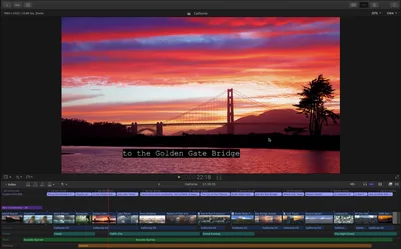
43Final Cut Pro X reinvented itself in 2011 with magnetic timeline and 64-bit performance, winning back editors who had fled to Premiere. Apple kept refining it for M-series Macs, delivering unmatched speed on laptops for documentary and event work. Its signature strength remains real-time multicam and proxy workflows that feel native on Apple hardware.
Annual Cost: $300Ease of Use: 9/10Feature Depth: 8/10Platforms: macOSSubscription: —
- Blazing performance on Macs
- Intuitive magnetic timeline
- One-time purchase
- Mac-only ecosystem
- Fewer third-party plugins
- Less common in large post houses
added by Yourlist EditorialFinal Cut Pro
26Premiere Pro became the default NLE for broadcast and film through seamless integration with After Effects and Photoshop. Its 2010s cloud collaboration features let teams edit remotely on major productions. The software earns its top-tier spot by constantly absorbing competitor innovations while maintaining broad plugin support.
Annual Cost: $240Ease of Use: 8/10Feature Depth: 9/10Platforms: macOS, WindowsSubscription: ✓
- Excellent ecosystem integration
- Strong team collaboration
- Huge plugin marketplace
- Ongoing subscription cost
- Occasional stability issues
- Resource hungry
added by Yourlist EditorialAdobe Premiere Pro
25Camtasia carved a niche as the go-to tool for screen recordings and training videos with built-in cursor effects and quizzes. TechSmith's focus on business users produced polished templates that speed up corporate content. It remains the standard for anyone needing to annotate software demos quickly.
Annual Cost: $300Ease of Use: 9/10Feature Depth: 6/10Platforms: macOS, WindowsSubscription: —
- Best-in-class screen recording
- Easy annotations
- Business-friendly templates
- Weak for narrative editing
- Higher price for limited scope
- Not ideal for 4K film
added by Yourlist EditorialCamtasia
21iMovie has introduced generations of Apple users to editing with its simple drag-and-drop interface and built-in themes. Apple continues to update it for modern formats while keeping it free on every Mac and iOS device. Its lasting value lies in serving as the on-ramp before users graduate to Final Cut.
Annual Cost: $0Ease of Use: 10/10Feature Depth: 4/10Platforms: macOS, iOSSubscription: —
- Free and preinstalled
- Extremely simple
- Good for quick projects
- Very limited features
- No advanced color tools
- Mac/iOS only
added by Yourlist EditorialiMovie
19Filmora
Filmora targeted casual users who wanted Hollywood-style effects without Premiere's complexity. Its template library and one-click color grades helped it grow rapidly among YouTubers. The software carved a niche by balancing approachable UI with enough power for 1080p and 4K social content.
Annual Cost: $50Ease of Use: 8/10Feature Depth: 6/10Platforms: macOS, WindowsSubscription: ✓
- Beginner-friendly effects
- Low learning curve
- Frequent template updates
- Watermark on free tier
- Weaker audio tools
- Less professional output
added by Yourlist Editorial
16CapCut exploded in popularity as TikTok's free editor, bringing professional transitions and effects to mobile-first creators. ByteDance rapidly added desktop features and AI tools that punched above its price point. It earns its ranking by lowering the barrier for viral short-form content without sacrificing export quality.
Annual Cost: $0Ease of Use: 9/10Feature Depth: 7/10Platforms: iOS, Android, Windows, MacSubscription: —
- Completely free core
- Mobile-desktop sync
- Trendy effects built-in
- Cloud export limits
- Less suited for long-form
- Data-privacy concerns
added by Yourlist EditorialCapCut
15Media Composer dominated feature-film editing rooms for decades thanks to its rock-solid media management and shared-storage workflows. It remains the standard on big studio lots where multiple editors must work on the same timeline without conflicts. Its longevity stems from constant refinement of the core bin and project-locking system.
Annual Cost: $1,300Ease of Use: 6/10Feature Depth: 9/10Platforms: macOS, WindowsSubscription: ✓
- Unmatched project sharing
- Industry standard for features
- Excellent media management
- High cost
- Dated interface
- Steep for beginners
added by Yourlist EditorialMedia Composer
13Premiere Elements brought simplified Premiere workflows and AI features to consumers unwilling to pay full Creative Cloud prices. Its guided edits and instant movie templates help beginners produce polished results quickly. The software serves as Adobe's entry point before users upgrade to Pro.
Annual Cost: $100Ease of Use: 8/10Feature Depth: 6/10Platforms: macOS, WindowsSubscription: —
- Adobe quality at lower price
- Guided editing modes
- Good starter tool
- Fewer advanced controls
- Limited plugin support
- Less future-proof than Pro
added by Yourlist EditorialAdobe Premiere Elements
6Shotcut emerged as a fully open-source, cross-platform editor that supports virtually every format through FFmpeg. Its volunteer-driven development added 4K timelines and hardware encoding without ever charging users. The project earns respect for remaining completely free while delivering reliable performance for indie documentaries.
Annual Cost: $0Ease of Use: 6/10Feature Depth: 7/10Platforms: macOS, Windows, LinuxSubscription: —
- Truly free and open source
- Wide format support
- No watermarks
- Dated interface
- Smaller community
- Fewer guided tutorials
added by Yourlist EditorialShotcut
5HitFilm Express
HitFilm Express combined editing with 3D compositing and visual effects in a free package that undercut paid VFX software. Its community-driven add-on packs let users expand capabilities for specific genres like action or sci-fi. The software stands out for hobbyists who want blockbuster effects without subscriptions.
Annual Cost: $0Ease of Use: 7/10Feature Depth: 7/10Platforms: macOS, WindowsSubscription: —
- Free VFX tools
- Expandable with packs
- Strong particle effects
- Interface can feel cluttered
- Export limits in free version
- Less frequent updates
added by Yourlist Editorial
4Clipchamp began as a web-based editor and was acquired by Microsoft, gaining tight Windows 11 integration and stock libraries. Its AI captions and resize tools target social-media creators who want quick results in the browser. The software's trajectory shows how cloud editing is becoming mainstream.
Annual Cost: $0Ease of Use: 8/10Feature Depth: 5/10Platforms: Web, WindowsSubscription: —
- Browser-based access
- Microsoft stock assets
- AI captions
- Export limits on free tier
- Less powerful than desktop
- Requires internet
added by Yourlist EditorialClipchamp
4PowerDirector competed directly with Vegas and Premiere on Windows by emphasizing speed and AI-assisted tools. Its 2020s releases added cloud rendering and object tracking that appealed to action-sport creators. The software earns its place through consistent performance on mid-range PCs.
Annual Cost: $60Ease of Use: 8/10Feature Depth: 7/10Platforms: WindowsSubscription: ✓
- Fast rendering
- AI features
- Good value subscription
- Windows only
- Less industry adoption
- Interface can feel busy
added by Yourlist EditorialPowerDirector
2Lightworks has a storied past editing films like Pulp Fiction and The Wolf of Wall Street before going free with a paid Pro tier. Its history of handling high-resolution projects on modest hardware keeps it relevant for long-form editors. The software's non-linear heritage still shows in its efficient trimming tools.
Annual Cost: $25Ease of Use: 7/10Feature Depth: 8/10Platforms: macOS, Windows, LinuxSubscription: ✓
- Proven Hollywood pedigree
- Strong trimming tools
- Cross-platform
- Free version export limits
- Interface feels old
- Smaller modern user base
added by Yourlist EditorialLightworks
1Kdenlive leveraged the MLT framework to deliver a powerful free editor popular on Linux desktops. Its proxy editing and multi-track timeline helped it attract users seeking an Adobe alternative without leaving open-source ecosystems. Steady updates have improved color management and hardware acceleration.
Annual Cost: $0Ease of Use: 6/10Feature Depth: 7/10Platforms: Linux, Windows, macOSSubscription: —
- Strong Linux native support
- Proxy workflow
- Active development
- Smaller Windows/Mac community
- Fewer tutorials
- Interface less polished
added by Yourlist EditorialKdenlive
-1Pinnacle Studio has long served Windows users wanting more power than Movie Maker yet less complexity than Vegas. Its 360 and HDR support updates kept it relevant for consumer 4K projects. The software maintains a steady following among hobbyists who value its one-time purchase model.
Annual Cost: $100Ease of Use: 7/10Feature Depth: 6/10Platforms: WindowsSubscription: —
- One-time purchase
- Decent 360 tools
- Windows optimization
- Smaller effects library
- Less frequent major updates
- Weaker audio suite
added by Yourlist EditorialPinnacle Studio
-1OpenShot began as a simple open-source editor and steadily added 3D titles and keyframe animation through community contributions. Its cross-platform stability and lack of any paid upsells made it popular in education settings. The project continues to close the gap with commercial tools on basic timeline features.
Annual Cost: $0Ease of Use: 7/10Feature Depth: 6/10Platforms: macOS, Windows, LinuxSubscription: —
- Free and open source
- Simple interface
- Good for beginners
- Slower with complex projects
- Fewer advanced effects
- Occasional stability hiccups
added by Yourlist EditorialOpenShot
-4VideoStudio targeted the same consumer space as Pinnacle with strong capture tools and easy DVD/Blu-ray authoring. Corel's updates added 4K and multi-camera editing while keeping the price accessible. It remains a solid choice for Windows users who want to finish family videos without subscriptions.
Annual Cost: $80Ease of Use: 8/10Feature Depth: 6/10Platforms: WindowsSubscription: —
- Easy capture and burn
- Good value
- Intuitive for hobbyists
- Limited pro features
- Windows only
- Smaller plugin ecosystem
added by Yourlist EditorialCorel VideoStudio
-4Movie Edit Pro has served European Windows users with strong stabilization and 360 tools at a mid-range price. Its updates keep pace with consumer 4K and HDR needs while offering one-time purchase options. The software maintains a loyal base among hobbyists who prefer German-engineered reliability.
Annual Cost: $70Ease of Use: 7/10Feature Depth: 6/10Platforms: WindowsSubscription: —
- Good stabilization
- One-time buy option
- Solid consumer features
- Windows only
- Smaller English community
- Less pro adoption
added by Yourlist EditorialMagix Movie Edit Pro
-6Adobe Premiere Rush
Premiere Rush extended Adobe's editing reach to mobile and simplified desktop workflows for social-first creators. Its cloud sync lets users start on phone and finish on desktop without losing edits. The app earns its spot as the lightest entry into the Adobe ecosystem.
Annual Cost: $120Ease of Use: 8/10Feature Depth: 5/10Platforms: iOS, Android, macOS, WindowsSubscription: ✓
- Cross-device sync
- Mobile-first design
- Adobe integration
- Limited advanced features
- Subscription required
- Smaller timeline controls
added by Yourlist Editorial
-6DaVinci Resolve Speed Editor
The Speed Editor hardware-software bundle with Resolve brought tactile control to color and editing at an accessible price. Blackmagic's integration lets users cut, trim, and grade without touching the mouse. It earns its place for editors who want a hybrid editing experience.
Annual Cost: $475Ease of Use: 8/10Feature Depth: 9/10Platforms: macOS, Windows, LinuxSubscription: —
- Tactile editing controls
- Resolve integration
- Good value bundle
- Requires Resolve install
- Learning curve for keys
- Hardware cost upfront
added by Yourlist Editorial
-10ScreenFlow became the Mac standard for high-quality screen recordings with built-in editing and annotation tools. Its Telestream backing ensures reliable performance for tutorial and product-demo creators. The app's strength lies in seamless capture-to-export pipelines on macOS.
Annual Cost: $130Ease of Use: 9/10Feature Depth: 6/10Platforms: macOSSubscription: —
- Best Mac screen capture
- Easy annotations
- High-quality output
- Mac only
- Expensive for scope
- Weak for narrative film
added by Yourlist EditorialScreenFlow
-13Vegas Movie Studio offers a stripped-down version of Vegas Pro aimed at consumers who still want event-based editing. Its lower price point and simpler interface appeal to Windows users upgrading from free tools. The software keeps the core timeline strengths of its bigger sibling.
Annual Cost: $50Ease of Use: 7/10Feature Depth: 5/10Platforms: WindowsSubscription: —
- Affordable entry to Vegas
- Event timeline
- Windows focus
- Fewer effects than Pro
- Less frequent updates
- Limited pro tools
added by Yourlist EditorialSony Vegas Movie Studio
-18Blender VSE
Blender's Video Sequence Editor grew from a simple strip tool into a capable free editor tightly integrated with its 3D pipeline. The open-source community added proxy support and improved color management, making it viable for short films. Its ranking reflects the value for 3D artists who already live inside Blender.
Annual Cost: $0Ease of Use: 5/10Feature Depth: 7/10Platforms: macOS, Windows, LinuxSubscription: —
- Free and open source
- 3D integration
- No export limits
- Steep for pure 2D editing
- Interface not editor-focused
- Smaller dedicated community
added by Yourlist Editorial
-19